
StudioViewer: A Local & Remote Web Companion for Capture One Live for Studio
If you run tethered shoots in Capture One Pro, you already know the drill: getting clients, art directors, or remote stakeholders looking at images in real time can quickly turn into a headache.
Capture One's Live for Studio feature is designed to output a stream to their iPad app, but requiring dedicated tablets or proprietary apps for everyone on set isn't always practical, especially on managed or locked-down systems. Capture Pilot offers browser access, but its performance leaves a lot to be desired.
That’s why I built StudioViewer — a free, open-source macOS menu bar utility that hooks directly into Capture One's local stream and turns any modern web browser into a full-featured client viewing station.
Requires an Apple Silicon Mac running macOS 15 or later, and Capture One's Studio edition with Live for Studio.
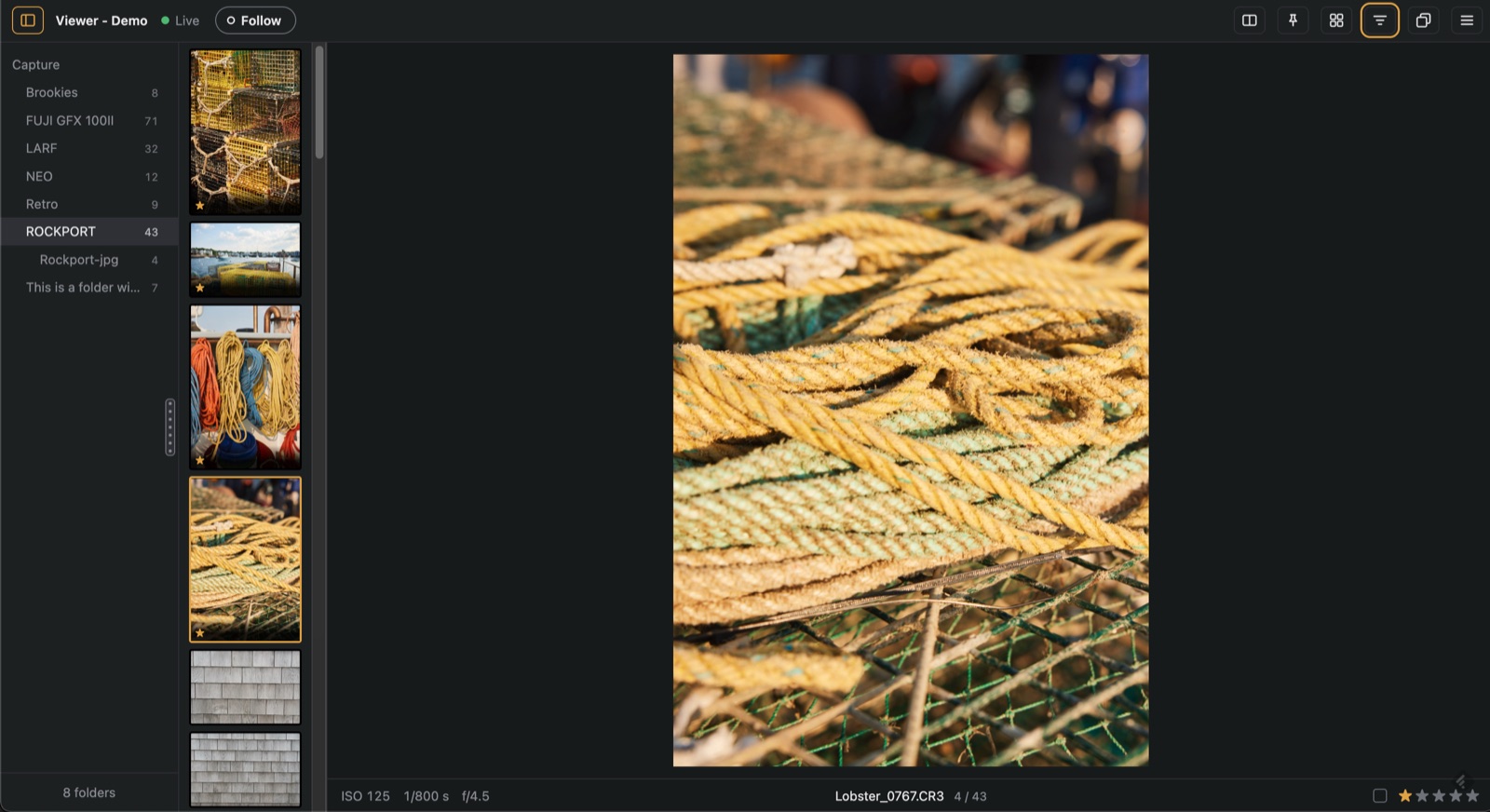
StudioViewer main web interface with session folder navigation, filmstrip, and exposure details.
Why StudioViewer?

No app to install for viewers. Rather than forcing art directors, stylists, or clients to install an app, StudioViewer serves a web application directly from your Mac. Anyone on the studio Wi-Fi can point their browser to a local IP address or scan an auto-generated QR code off your screen and immediately follow along as you shoot.
What you get:
- Zero Client Installation: Works instantly on iPhones, iPads, Android devices, laptops via Chrome, Safari, or Firefox.
- Live Capture & Trigger Follow: New frames land immediately as Capture One ingests them. Toggling "Follow" ensures client devices automatically jump to the latest capture.
- 100% Zoom & Focus Check: Full-resolution inspection lets viewers pinch or click to 100% to verify focus and sharpness on set.
- Side-by-Side Comparison: Compare any current capture side-by-side with a previous frame or a chosen reference shot.
- Overlays & Aspect Ratio Framing: Drop layout comps, PNG logos, or target crop frames (16:9, 4:5, 1:1, etc.) directly over the live image stream.
- Star Ratings & Color Tags: Grant read-write privileges to viewers to let clients tag and rate selects directly back into your Capture One session.
- Remote Sharing: Need off-site clients in another city or country reviewing the shoot? Share a temporary link (no account needed) or your own Cloudflare address, protected by a viewing code.
You stay in control: clients can only rate and tag if you allow it (view only, PIN, or anyone), and you can stop or remove any device at any time.
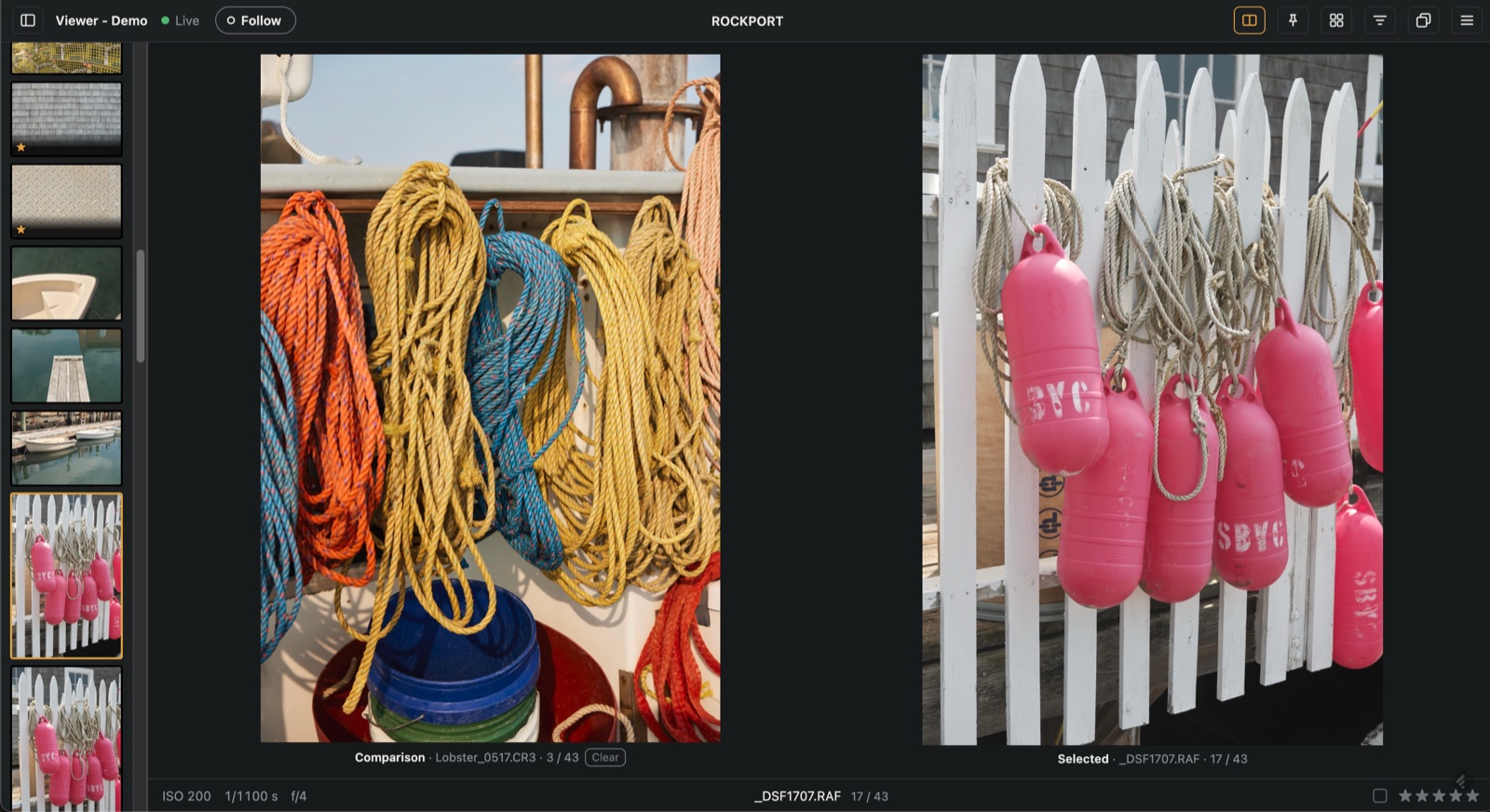
Side-by-side photo comparison mode. |
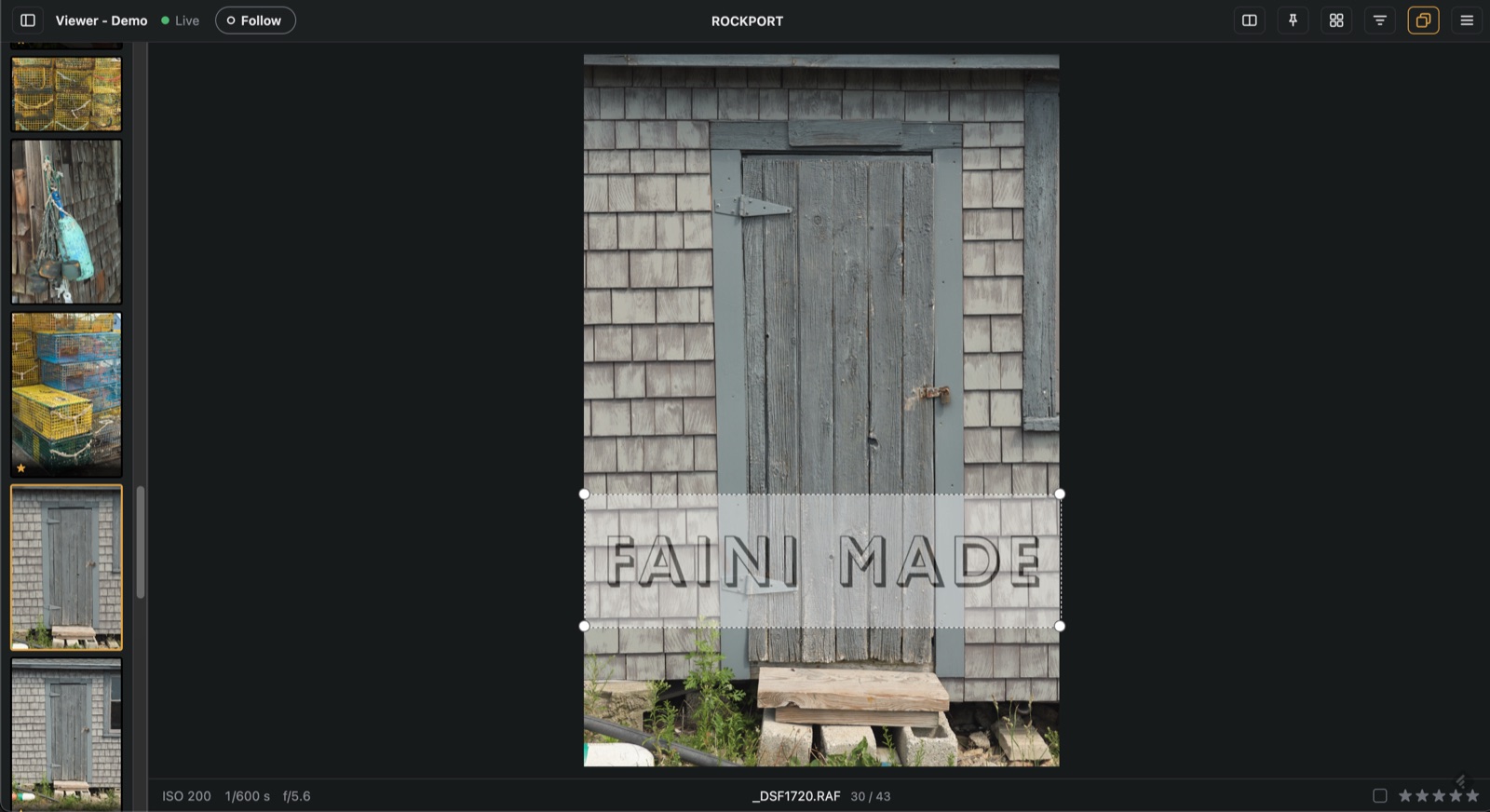
Live layout and branding overlay positioning. |
How It Works
StudioViewer is a lightweight native menu bar app with a built-in engine. It connects to the same Live for Studio feed that Capture One's iPad app uses and serves a clean, responsive web interface to your clients. Your photos stay on your Mac; with remote sharing on, they travel to remote viewers through Cloudflare.
One caveat: StudioViewer isn't made, endorsed or supported by Capture One. Capture One doesn't document this feed, so a Capture One update can break StudioViewer until it catches up.
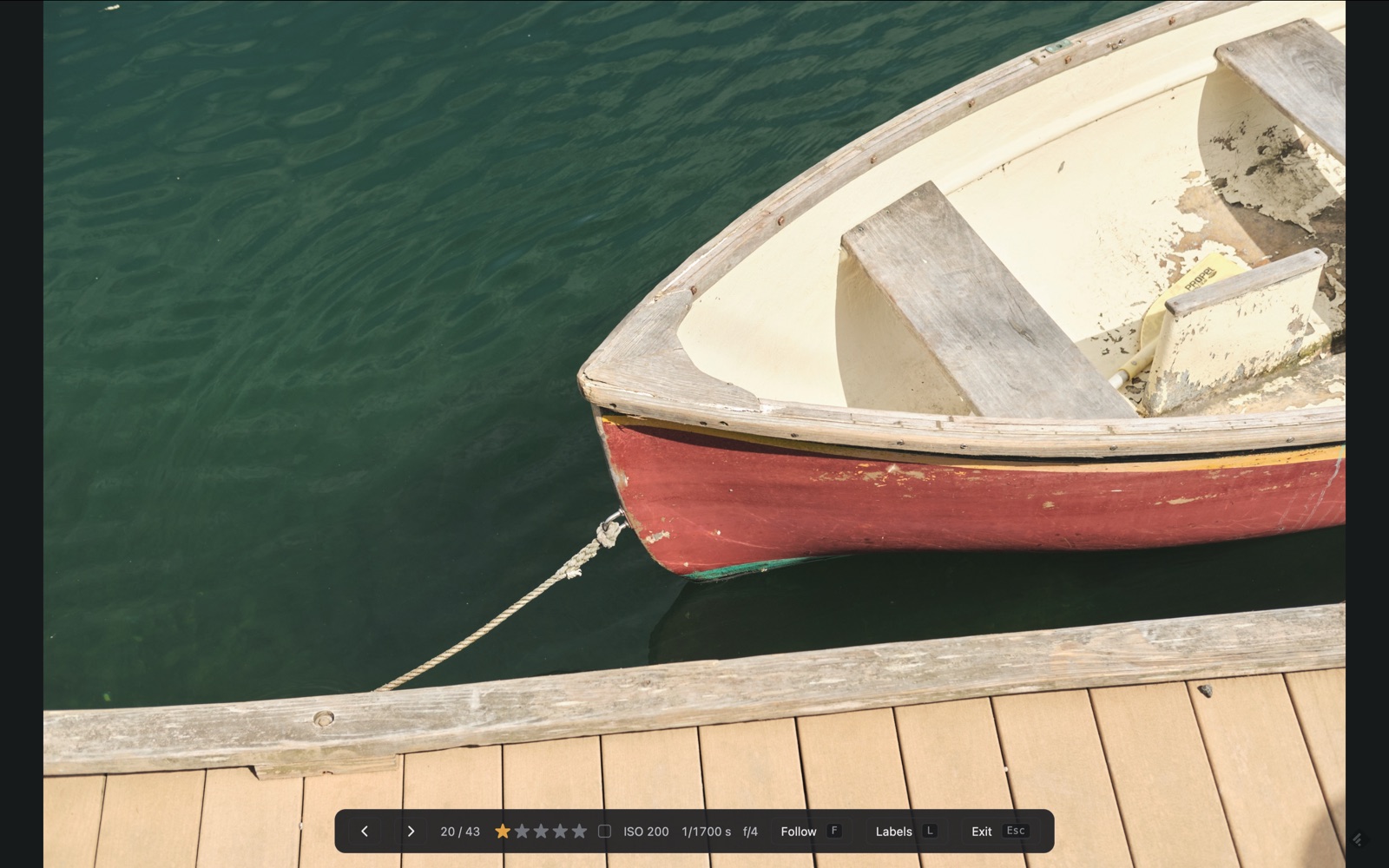
Fullscreen mode ideal for secondary wireless client displays.
Requirements & Setup
- Mac: Apple Silicon Mac running macOS 15 or later.
- Capture One: Studio edition with Live for Studio enabled.
- Get Started: Download the latest release from the Releases page, launch the app, start sharing in Capture One, and pass the local URL or QR code to your set.
StudioViewer is completely free and open source under the GPL-3.0 license — view the source on GitHub.


Comments
Post a Comment