Spotlight Off: How I finally made the app I wanted for years.
You’ve just finished a massive transfer to an external SSD. You’re in a rush to swap cards or pack up, but macOS won’t let go. You get that dreaded alert: "The disk wasn't ejected because one or more programs may be using it."
More than likely, that program is Spotlight.
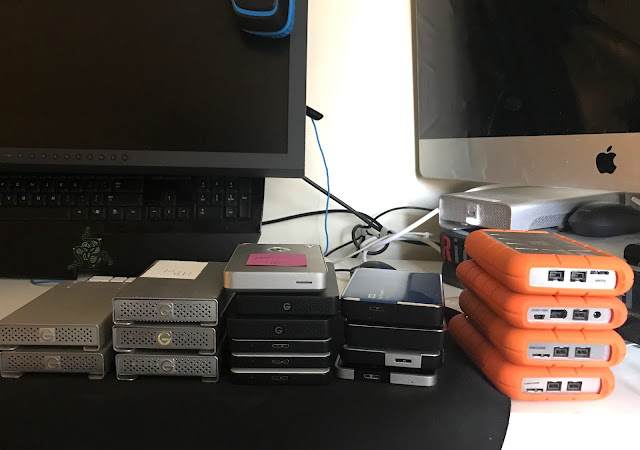
If you’ve ever worked as a Digi-tech, Photographer, DIT, or anyone handling a mountain of data, you know the eject anxiety or just want the max performance when working.
The Problem with Spotlight
The second you plug in a drive, macOS starts indexing every single file. It eats up your read/write performance and holds your drives hostage. While there are manual ways to stop this on a per-drive basis, and if you reformat that drive, you have to do it again. You have to do it for every single drive. It’s a repetitive, annoying task that felt like it was begging for a "set it and forget it" solution. I knew it could be automated.
Introducing Spotlight Off

I built Spotlight Off to be a silent app that lives in your menu bar and does one thing: it watches for new drives and tells Spotlight to back off.
-
No more indexing lag during critical transfers.
-
Cleaner ejections because Spotlight isn't indexing in the background.
-
A simple history log so you can confirm it did its job.
-
Run at login so you never have to remember to open the app.
Check out Spotlight Off on GitHub


Heads up: Since this is a system utility, you'll need to give it "Full Disk Access" in your System Settings for it to work its magic.
The Journey: From "I'm Not a Developer" to Vibe Coding
I’ve wanted to automate this for a couple of years now. The problem is that I’m not a developer. I’d never opened Xcode, never made a GitHub repo, and had no idea how to actually build an app. I’d tried a few times in the past to make this happen with scripts, but I always hit a wall and gave up.
But since "vibe coding" became a thing, and I figured it was time to try again.
I started by opening Xcode. This was a challenge in itself since I’m still on macOS 13 and had to hunt down an older version. I started the journey with Gemini and it got me through the basics of setting up the project and the first chunk of the code. It was a great start, but eventually hit a dead end where the code just wouldn't talk to the system correctly and got warnings in Xcode.
So, I hopped over to ChatGPT next to get a little further down the road and I actually had something that looked like an app, but it still wasn't quite right.
Finally, I took what I had and fed it into Claude. We wrestled with the code, especially the part where I wanted the app to send a notification with the drive's name. It turns out that was a massive hurdle that was the source of the problems, and eventually I decided to scrap the notifications. I just wanted the thing to work and reliably kill indexing.
From "Broken" to "Build Succeeded"
Once the core was running, the "vibe" took over. I realized I wanted an activity log so I could actually see the app doing its job. Then I wanted a historical list of every drive it had touched, plus the ability to clear that list if it got too long.
After about 8 to 9 hours in total of tinkering, with several breaks, and a lot of back-and-forth with the AI "team," I had a functional macOS app sitting on GitHub, it even had a custom icon and informative README.
This was my first time ever publicly publishing anything to GitHub and I’m honestly still a bit shocked I got it to work. It’s open-source, free, and built because I was tired of a problem that shouldn't exist. I don't know if or when I'll be updating this, not sure if it will work on newer versions of the OS or if Apple will break it in the next macOS update, but for right now, it’s a reality. And if it does break, I’ll just call up Claude and we’ll get back to work. But also curious to see if anyone forks it and brings a new level of functionality to the project.